
Real-time monitoring
Reads straight from your inverter. No cloud round-trip means live data with zero lag.
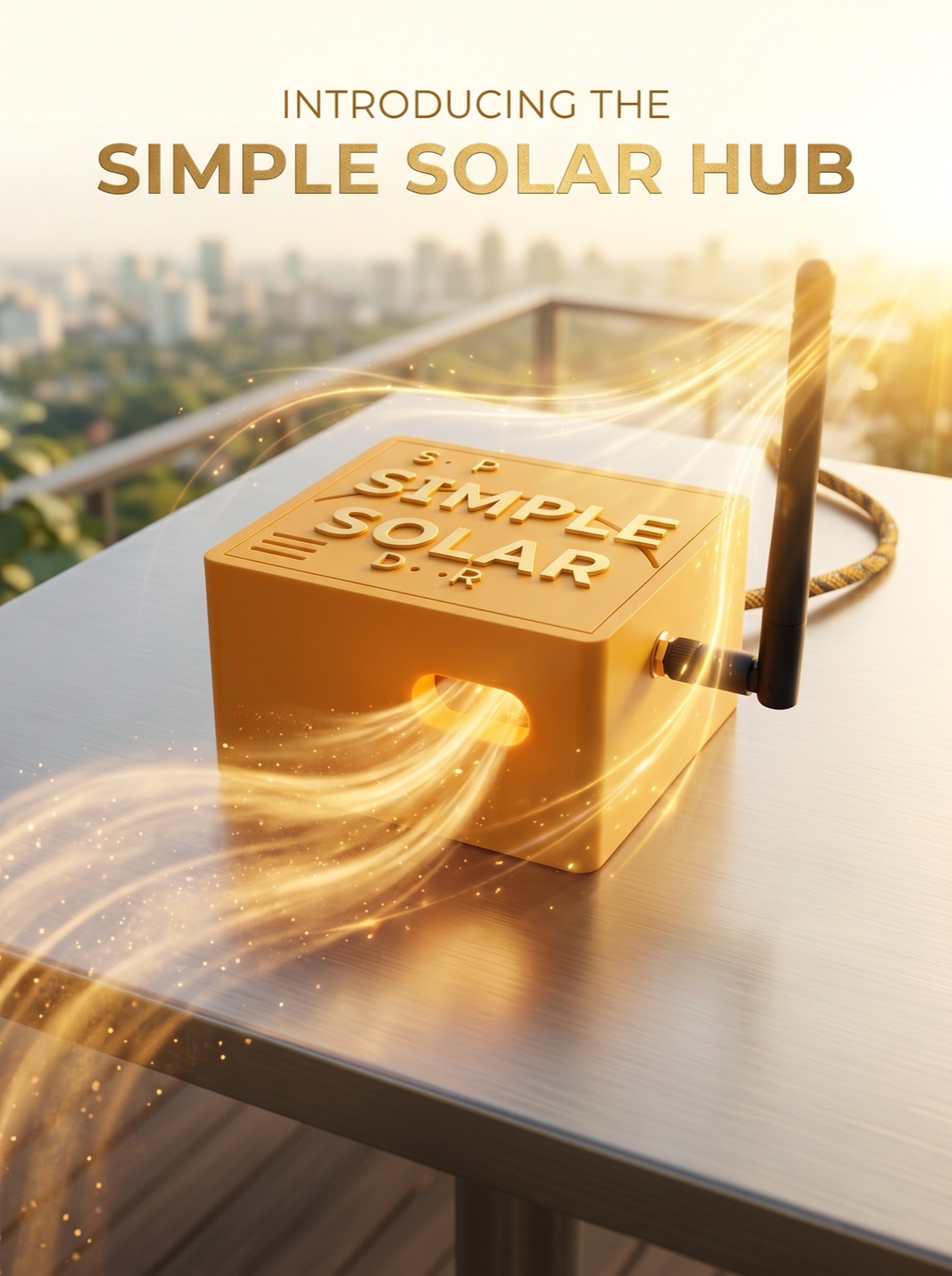
Real-time monitoring and push alerts for your single-phase SunSynk inverter. Every reading captured locally — with over a decade of detailed history on the included SD card.
The Hub feeds your inverter's readings straight to the Simple Solar app.
The Hub sits between your single-phase SunSynk inverter and your home network. It does the listening so the app doesn't have to wait for the cloud.
Reads straight from your inverter. No cloud round-trip means live data with zero lag.
Every reading saved to the included SD card. Over a decade of detailed history, ready to scrub through whenever you need it.
Battery, solar, grid and high-load alerts straight to your phone. No Pro subscription needed.
Status, diagnostics, and updates all live in the Simple Solar app. No web console, nothing extra to sign into.
Pair from the app in 30 seconds.
Your data goes from the Hub to the Simple Solar app and nowhere else.
Check your inverter.
Standard SunSynk / Ecco inverters.
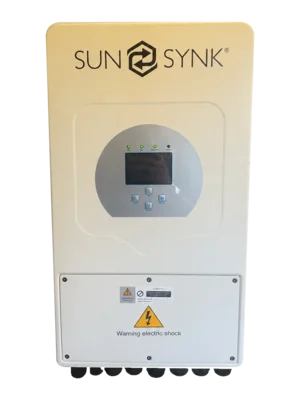
Setting up takes a phone (iPhone or Android) and your 2.4 GHz WiFi password. If your router gives the two bands separate names, pick the 2.4 GHz one.
Plugs straight in to your single-phase SunSynk inverter — just add power.
Ready to pair.
Over 10 years of detailed inverter data, stored locally.
Plumbs the Hub into your inverter without disconnecting your BMS.
External antenna for rock-solid signal, even in cupboards and meter boxes.
Five steps from the box to live readings in the app.
Where will you fit the splitter?
You can do it with everything running. You'll also need a short ethernet cable and an ethernet coupler (not included).
The BMS port is behind the inverter's wiring cover, next to the mains terminals, so this one's a job for a qualified installer.
Screw the WiFi antenna onto the Hub — finger tight is fine.
Fit the splitter on your inverter's BMS port. Your battery cable plugs into the female end marked CAN, so the BMS stays connected.
Run a standard ethernet cable from the splitter to the Hub.
Run a standard ethernet cable from the splitter to the Hub.
Plug in any USB-C power supply.
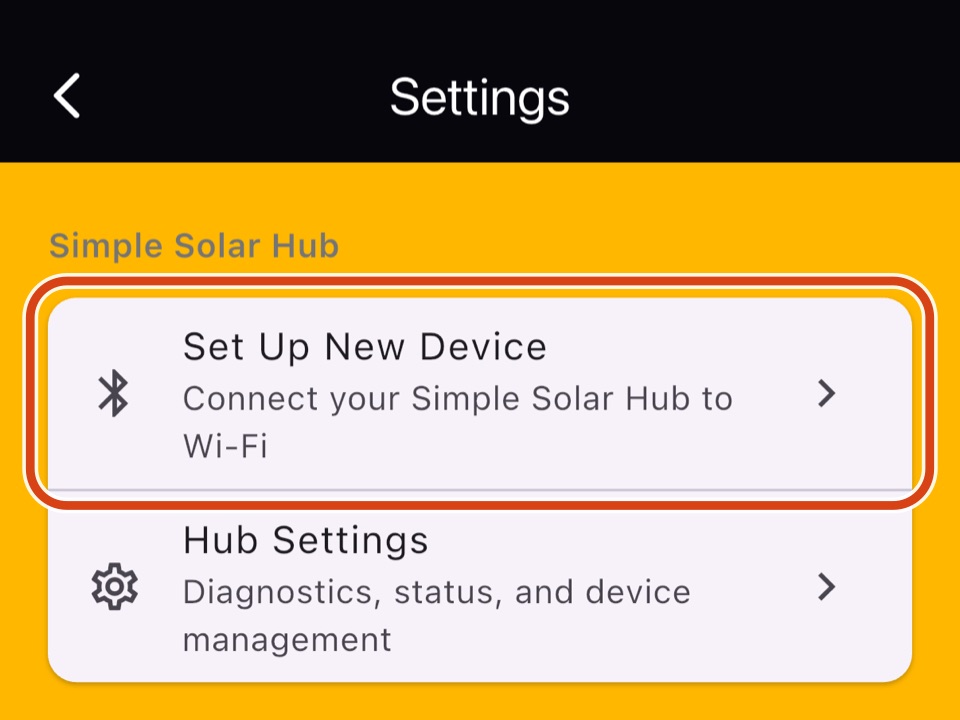
In Simple Solar, go to Settings and tap Set Up New Device, then pick your 2.4 GHz WiFi.
No. Simple Solar and Pro work without a Hub. Every automation, from Octopus Intelligent Go to Agile and Cosy, runs through your inverter's normal SunSynk connection. The Hub is an optional extra for live readings, detailed history and push alerts.
Not yet. Today the Hub is for monitoring and alerts: it reads your inverter but doesn't change its settings. Manual control is planned for a future update. Tariff automations stay part of Pro — they run around the clock and are constantly updated as tariffs change, which is why they come with a subscription.
No. Live monitoring, your detailed history and push alerts all come with the Hub. Pro adds automation that pays for itself.
No. The Hub works alongside them, so your SunSynk dongle and the SunSynk Connect app carry on as before.
No. Each Hub works with one inverter, so you'd need one per inverter. Each Hub then shows up in the app on its own — their readings aren't combined into a single system.
The Hub isn't waterproof, so keep it indoors and dry, or put it in a weatherproof box out of direct sun. It's rated for 0 to 50 °C.
Yes, automatically — it just works. Live readings and push alerts reach your phone wherever you are, not just on your home WiFi.
The Hub keeps recording to its SD card, so there are no gaps in your history once it's back online.
Your live readings come straight from the Hub, not from SunSynk's cloud, so monitoring keeps working even when SunSynk's servers don't.
The Hub updates itself automatically — nothing to install. You can see which version it's on in the app.
In-stock orders are dispatched within 3 working days. If a batch has sold out, you can pre-order and your Hub ships with the next batch, within 3 weeks of your order. UK delivery is £5.
Yes. If it's not for you, let us know within 14 days of delivery. Send the Hub back with everything that came in the box and we'll refund you in full. Return postage is paid by you.
Yes, the Hub comes with a 1-year warranty. If anything goes wrong, email us and we'll put it right. This doesn't affect your statutory rights.
Not as standard yet, but email us and we'll see what we can do.